
 Posts
Posts


Mozilla Prism
Posted On Oct 26, 2007 at by Prakash G.R.
It looks promising. Offline web apps are becoming more and more popular and Firefox is making a right move towards it. I'll be writing a complete review soon, but for now, you can click here.
Priceless Expressions - 5
Posted On Oct 24, 2007 at by Prakash G.R.Rajini!
Posted On at by Prakash G.R.Even though I like Rajini movies, I'm not a big fan of him. But this post is dedicated to his fans :-)
படம் உபயம் இட்லி வடை.
Saraswathi Pooja Special!
Posted On Oct 22, 2007 at by Prakash G.R.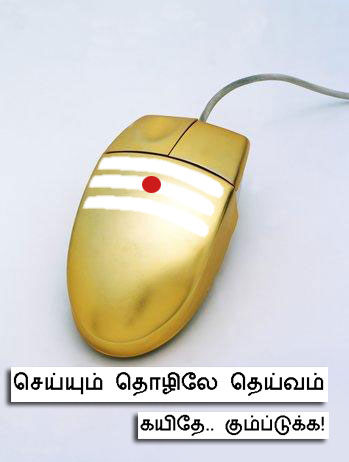
Thanks to Vichu for the forward :-)
Cricket Fever !
Posted On Oct 18, 2007 at by Prakash G.R.Back in college days, the simplest way to talk to a stranger is take a cigarette in hand and ask "do you have a match stick". No matter which department the other guy is, or which batch he belongs to, you can get the talk going. I think I found another simpler way now. Cricket.
Sitting inside the Bangalore Airport I see that how everyone is obsessed with Cricket. Everyone, I mean EVERYONE, are watching the TV. The passengers, the shop keepers, the security guards, attendants - everyone. They all chat with there as if they were friends for a long time. The passenger who was standing next to me asking the security guard at the security counter: "what is the score?". The answer: "x for y overs with z wickets in hand. oh sir, you should have seen the xxxxx shot at yth over. Square cut on leg side, blah blah blah...". And the conversation went on. As the only Indian who don't understand or watch that game, I didn't understand all the technical words nor the person's name, but I can surely say, the easiest way to talking to a stranger is "whats the score?" not "do you have a match stick". Hmmm, Now that I've stopped smoking, I wish I like the game to get started.
PS: I typed this blog entry offline, when I was waiting in Bangalore Airport and totally forgot about it. Few mins back, my wife wanted to know the Cricket score, and since I don't know any cricket sites, I Googled. The result was simply impressive and thought of blogging it. Subsequently reminded me of the post that I've not-yet-published. So here goes the result:
Sonoa Systems announces Info 2.0 appliance
Posted On Oct 17, 2007 at by Prakash G.R.Yup. Sonoa, my previous employer, is finally out of stealth mode :-)
The website now lists two products - Info 2.0 and ServiceNet. Yesterday they have announced that they are working with IBM for Info 2.0, which is an appliance for creating Mashups within an Enterprise. News is already out and spread well. That sounds really nice, except for the two points:
- It is based on IBM's not-even-beta IBM Mashup Starter Kit
- Is there a real market for Mashups within Enterprise?
Since they have just started working, the Mashup Starter Kit should have graduated out of alphaworks, but what about the market? I'm really curious to know about the case studies and customers for that product. Lets wait and see.
பூனை மேய்க்கறது
Posted On Oct 6, 2007 at by Prakash G.R.aஆடு மேய்க்கறது மாடு மேய்க்கறது தெரியும், பூனை மேய்க்கறது? ரொம்ப கஷ்டமான வேலைங்கோவ். நம்பலைன்னா கீழ இருக்கற வீடியோவ பார்த்து புரிஞ்சுக்கோங்க.
அப்பாவி ஆறுமுகம்: எப்படித்தான் இப்படி புதுசு புதுசா பண்ணறாங்களோ, ரூம் போட்டு யோசிப்பாங்களோ? ஹூம்ம்ம். நமக்கு வாச்சது ஆணி புடுங்கற வேலைதான்.
Guess who?
Posted On Sep 10, 2007 at by Prakash G.R.
Heard that this is just one of the ten avatars. Expecting to see it on the big screen !
Apple updates its iPod series
Posted On Sep 7, 2007 at by Prakash G.R.With the invitation itself, it was well known that its going to be a special iPod event. The photos of iPod Nano leaked in the media, well before the event. Full screen iPod & a Wi-Fi enabled iPod were much expected. So what were the real surprises in yesterday's event?
- The original iPod or simply "iPod" now gets a name - "iPod Classic"
- Who cares?
- Cool
- Wooops!
- On one side a (once) computer maker with passion in music & on the other side a coffee maker who creates music that wins Grammy awards. Interesting deal !
- A perfect match for Wi-Fi enabled iPod. What else to say?
- For those early adopters, who are complaining: (i) Nokia's timely wit (ii) I paid ~ $500 for an 20 GB B&W screen iPod which had 6 hrs of battery life. Should I complain now? No. Remember one thing with the electronic gadgets. As soon as they leave the designers table and enter the manufacturing line, they are outdated. The next generation cool device is already in the Designer's table. You can keep on waiting to get cheaper, better products. That will never end.
- Although steve didn't say anything about that, Apple website is displaying an image (at this time of writing) with a Bluetooth icon. See it the top-right corner of iPod in landscape position?

In essence, Apple armed itself perfectly for the holiday season. This year, even more number of socks are going to have iPod. Bad news for Zune. A price cut just before this event is not going to help it. Good news for everyone else.
PS: I'm eying on the iPod Touch. Might get one soon :-P
Moving from WordPress.com to hosted blog
Posted On Sep 2, 2007 at by Prakash G.R.I've moved to a hosted blog from Wordpress and here is how to do it without loosing any data, users & search engine referrals.
I'll assume that you are moving http://example.wordpress.com to http://blog.example.com
- Login to WordPress; go to Manage->Export. Use this option and export all your blog entries, categories, comments in an XML file and save to your local disk
- Get an account with a hosting service, which supports PHP and gives you some DB (mostly MySQL)
- Follow the guidelines by your hosting service to create a DB. Note down the user name & password
- Download and unzip the WordPress from here.
- copy wp-config-sample.php to wp-config.php and give the DB details
- The toughest part will be to go thru the WordPress installation Wizard and installing it. ;-)
- Now with the password that you got from the install wizard, login to Dashboard
- If you have unzipped the wordpress into a different directory and/or you are publishing it to a subdomain, you need to specify it. Go to Options and change the urls (Wordpress URL should point to the subdirectory (http://example.com/<unzipped dir>) and blog address should point to subdomain (http://blog.example.com)
- Go to Options->Permalinks and "Date and Name based" one. By default that is the one followed in WordPress.com
- Go to Manage->Import and point to the xml file you have exported earlier from WordPress.com
- In case you have used any special WordPress marker URLs (like YouTube, Digg, ...), you need to edit the individual entries and embed them properly
You are done with the content. What about the existing users and the hits you were getting so far from the search engines? Follow these steps:
- Purchase the Domain Upgrade @ WordPress.com.
- Mention the same domain in which you are hosting the blog (blog.example.com)
- Go to Upgrades->Domains and do "Put Blog here" for the purchased domain
Now WordPress.com will redirect all the traffic for http://example.wordpress.com to that http://blog.example.com. Since that domain name will resolve to your hosting service, it will be directed to that. The URLs & contents are available for the users without any problem. This includes the feeds as well. So those who have subscribed to your WordPress.com feeds will automatically get this feed (all major feed readers will respect redirection).Yeah, you are done. Seamless move. Now you can enjoy all the nice plugins and themes that were not available with the WordPress.com hosting. In case you are missing any nice functionality like the tag cloud, you can write one and share it to the community :-)